Your app works. The screens load, people can log in, the data goes in and comes out. This is the moment when a quieter question tends to get skipped: what road does that data travel on, and can anyone read it along the way?
I tested this on a small demo database and measured what closing the unlocked door costs. I will give you the numbers, and I will tell you where they stop applying to a real business.
How this was made: I used Claude to help draft this article. I ran the tests, checked the numbers, and edited the text. The mistakes are mine.
The road is longer than it looks
When someone taps “Save” in your app, their name, phone number or order travels from their device to your database. That path is not short.
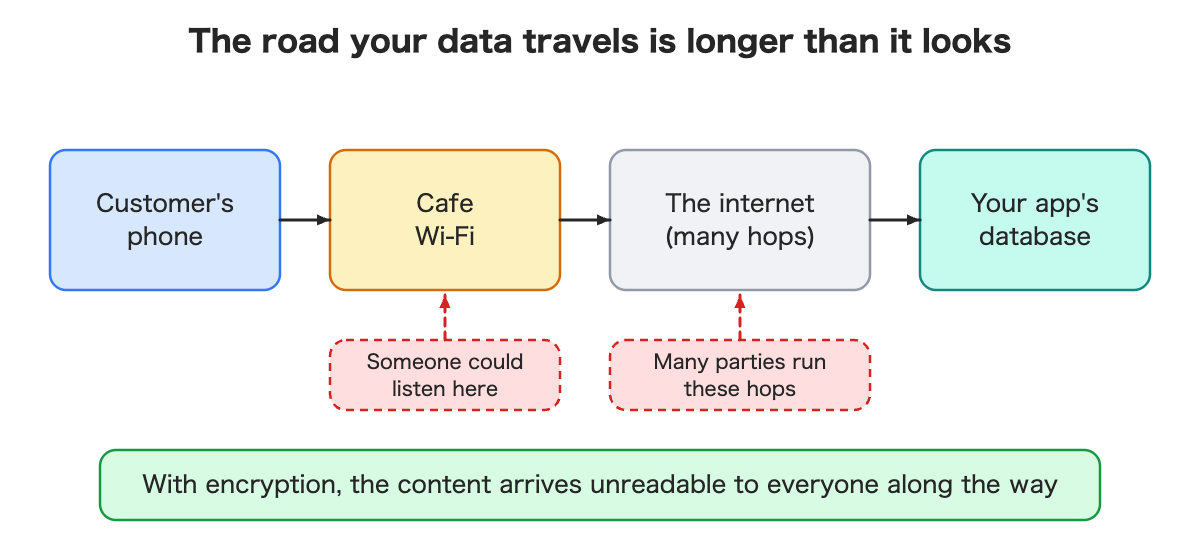
It crosses a cafe’s Wi-Fi, several networks run by different companies, and finally reaches your database. Most of those hops are not yours.
A postcard or a locked envelope
Think of the mail.
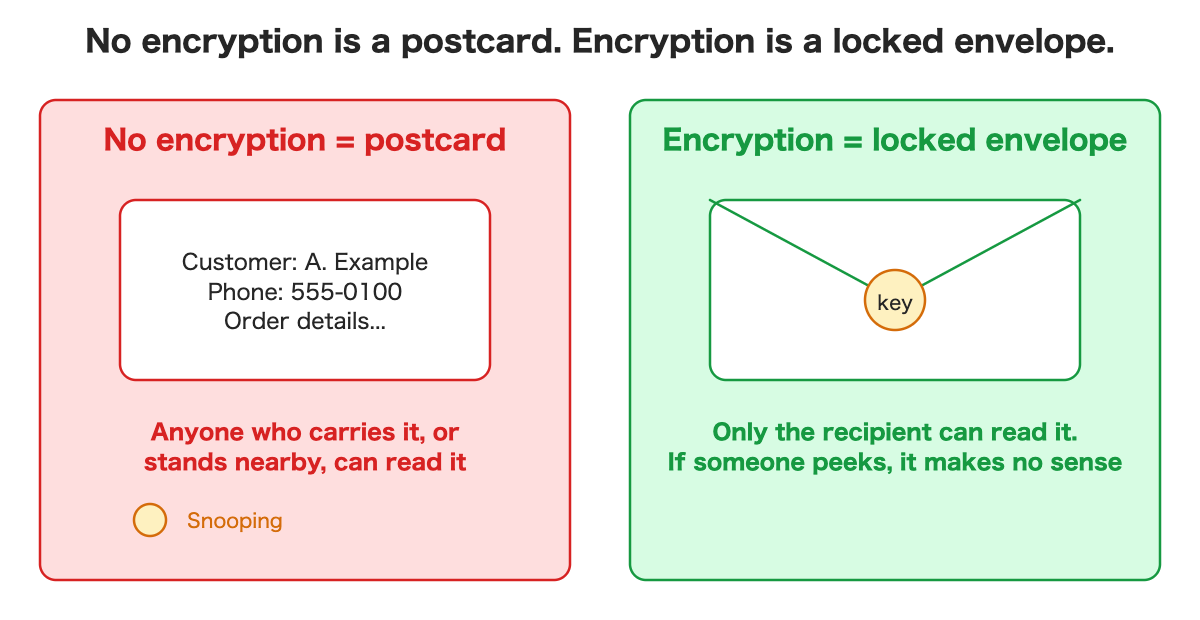
- Without encryption, the data is a postcard. Whoever carries it, or stands nearby, can read it.
- With encryption, it is a locked envelope. Only the recipient can read it, and a peek along the way shows nothing useful.
If you handle customer information, you probably do not want to send it on a postcard.
The unlocked door that stays open
Here is what surprised me. Many databases accept unencrypted connections by default, so older tools keep working.
I checked this on a demo database. I tried to connect without encryption, using a deliberately wrong password, because I wanted to see how far the connection would get without ever using a real one.
- Before changing any setting: the unencrypted attempt was told “password authentication failed.” It got all the way to the password check. If the password had been right, data would have flowed unencrypted.
- After switching on the setting that refuses unencrypted connections: the same attempt was refused with “SSL connection is required,” before the password was even checked.
So the setting does what it says. The server now turns away anyone who does not bring a lock.
I did not test the stricter version, where your app also checks that it is talking to the real server and not an impostor. That needs extra setup, and I will not pretend it came free with this.
What it costs to switch
Closing the door is a setting change, but it is not free. I measured two things.
1. The database restarts. Applying the setting restarts the database. On my tiny demo, the gap between two runs of a job that normally runs every 10 seconds grew to 18 and 21 seconds for the two setting changes, and my app’s health call failed once, about 7 seconds after I confirmed the change. The confirmation dialog said “a few minutes of downtime.” I did not see minutes, but my database was nearly empty and a real one will behave differently.
Not every restart is the same. The same provider also has a button that restarts the whole hosted project, not just the database. I tried that too, three times:
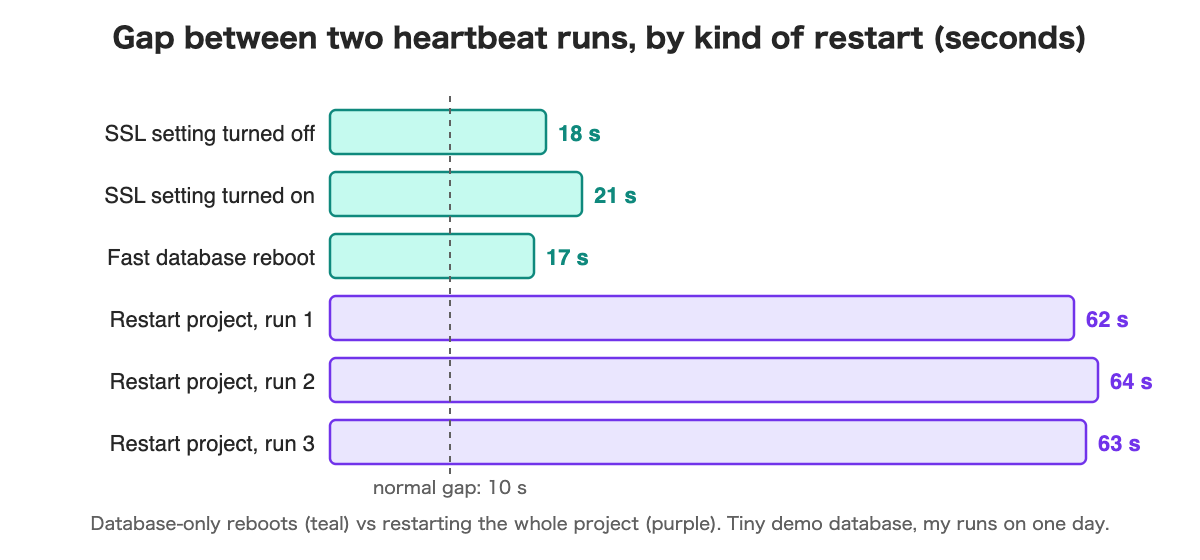
Restarting the whole project showed a gap about three times longer: 62 to 64 seconds, with the app’s calls failing for 46 to 51 seconds. These are single runs on a tiny database, so read them as examples, not averages. The lesson is simpler: find out which kind of restart your change triggers before you do it.
2. Old tools may stop working. If something still connects without encryption (an old reporting script, a forgotten batch job, a tool from a vendor), it will be refused after the change. You may not remember it exists until it breaks.
Decide these before you switch
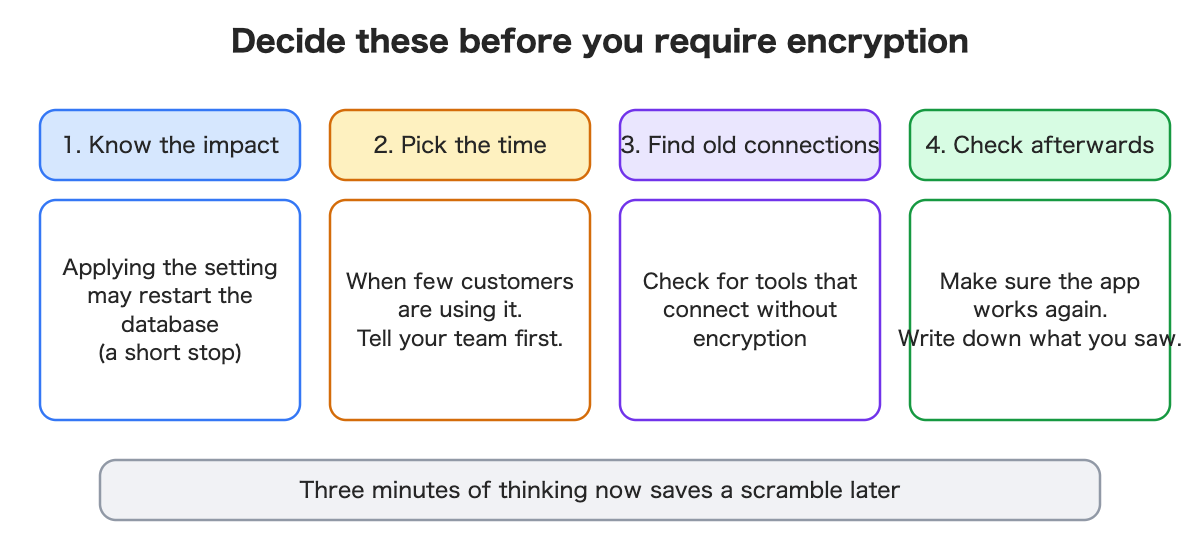
- Know the impact. Applying the setting may restart the database. Find out how long, and whether anything else restarts with it.
- Pick the time. Choose a quiet moment. Tell your team first.
- Find old connections. List what connects to your database. Look for anything that cannot encrypt.
- Check afterwards. Make sure the app works again, and write down what you saw. A status page that shows the last restart and the downtime helps.
Three minutes of thinking beforehand saves a scramble later.
Questions to ask your AI assistant
If you build with an AI assistant, plain questions work well:
- “What road does my app’s data travel on, and is every part of it encrypted?”
- “Can anything still connect without encryption?”
- “If I change this setting, will something restart, and for how long?”
- “Which of my tools might stop working?”
- “How can I show on a page whether the database is encrypted and when it last restarted?”
You do not need the vocabulary. You need to ask about the road, the lock and the pause.
Why customers care, even though they cannot see it
Encryption is invisible to your customers. That is exactly why it works as a foundation of trust. People ask about it:
- when you store their information,
- when a client sends you a security questionnaire,
- when your own company reviews your app.
“Is the connection encrypted?” is a common question. A clear “yes, and we refuse unencrypted connections” is a much better answer than “I think so.”
What I did not verify
- The stricter mode where the app also verifies the server’s identity.
- Large databases and many simultaneous connections. My restart times come from an almost empty database.
- Encryption between a customer’s browser and your own website.
- Whether the numbers hold on a paid plan or in another region.
Encryption has several levels. This test covered the front door.
Summary
- Your data travels a long road. Without encryption it is a postcard.
- Unencrypted connections are often allowed by default. In my test, one reached the password check before the setting, and was refused before it after.
- Switching it on restarts the database. In my demo that was 17 to 21 seconds for a database-only restart, about three times that when I restarted the whole project.
- Old tools that cannot encrypt will be turned away.
- Decide the impact, the time, the old connections and the check before you switch.
If you want the hands-on version, with the commands, the measurements and a small status page that shows all of this, I wrote it up for developers: Read the developer version on Dev.to (code on GitHub).
Leave a Reply