At some point a request lands on every app builder’s desk: “When one person updates something, everyone else should see it right away.” Or: “Show who is looking at this page.” Or: “I’m tired of pressing refresh.”
That is real-time. The idea is simple, and the failure modes are not obvious. I built two small demos to find out where it goes wrong, and I measured what I could.
How this was made: I used Claude to help draft this article. I ran the tests, checked the numbers, and edited the text. The mistakes are mine.
Normally, you go and look
A normal web page works like this: when you open it or press a button, it asks the server, “Anything new?”
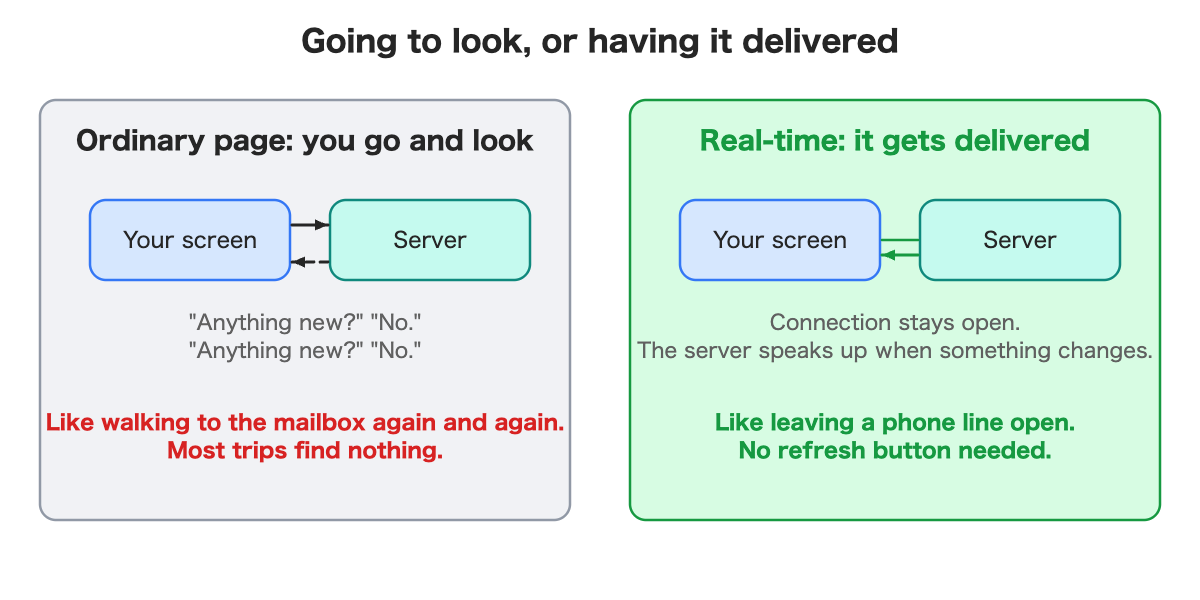
It is like walking to the mailbox again and again. Most trips find nothing, and if you only check once an hour, you miss things.
Real-time flips it. The connection stays open, and when something changes, the server tells you. Think of leaving a phone line open instead of calling back every minute.
My first test: a two-player game
To feel the difference, I built tic-tac-toe that two people can play in different browser tabs. Alice puts an X in the center and Bob’s tab shows it a moment later. In my test a move showed up in the other tab after about 0.1 seconds. That is one measurement on one computer, not a promise about the real internet.
Two roles do the work.
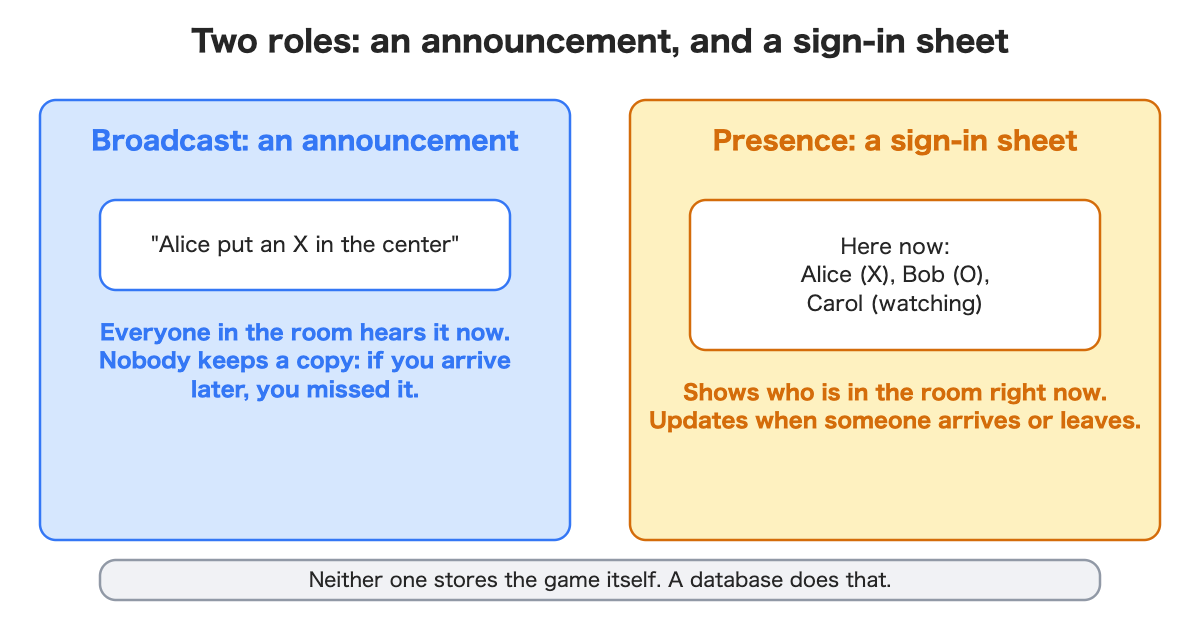
- An announcement (“Alice put an X in the center”). Everyone currently in the room hears it.
- A sign-in sheet (“here now: Alice, Bob, Carol watching”). It updates as people arrive and leave. When I closed Bob’s tab, he vanished from Alice’s list in about a tenth of a second.
Neither one stores the game. That detail is where I got tripped up.
What surprised me: the person who joins late
Alice and Bob played three moves. Then Carol opened the page to watch.
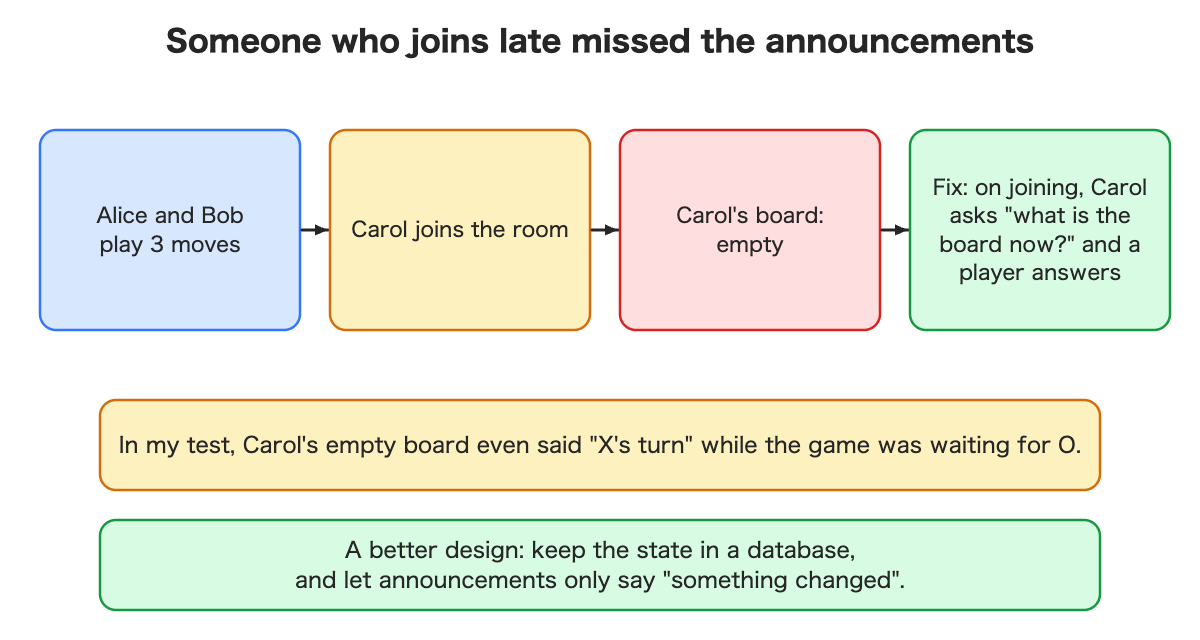
Carol saw an empty board. It even said “X’s turn” while the game was actually waiting for O. She had missed the announcements, and nobody keeps a copy of announcements.
I fixed it the simple way: when Carol joins, she asks “what is the board now?” and a player answers. That works, but it depends on a player being there to answer. The better design, which I built in the second demo, is to keep the real state in a database and use announcements only to say “something changed.” Then anyone arriving, at any time, just reads the current state.
My second demo was a live order board: three columns (received, cooking, done) where people move cards. When one person moves a card, everyone sees it. A late arrival saw every order immediately. A change took between about half a second and 1.3 seconds to show up elsewhere, slower than the game because it goes through the database. I measured six moves: 497, 739, 754, 764, 859 and 1,265 milliseconds.
The quiet failure: a status light that was wrong
My board has a small indicator at the top that says “Connected.” I tested what happens when the connection breaks. The easy case works: if the connection is closed cleanly, the page notices quickly, turns grey and says the data may be out of date.
The harder case is a network that simply stalls, with no clean close, like a bad Wi-Fi patch. I simulated that by blocking one tab’s real-time traffic without closing anything. Then I moved a card in another tab and watched the blocked tab.
For 46 seconds, the blocked tab kept saying “Connected” in green, and it showed the card in the wrong column. Nothing on screen hinted that anything was wrong. After 46 seconds it finally turned grey, and when traffic came back it reconnected and reloaded the correct state within about 3 seconds.
I tightened how often the page checks that the connection is alive, from the default of every 25 seconds to every 10. The same test then flagged the problem after 16 seconds. That is still not instant. A real-time screen can show stale data with a green light for a while, and the better the design, the shorter and clearer that window is.
Where real-time fits
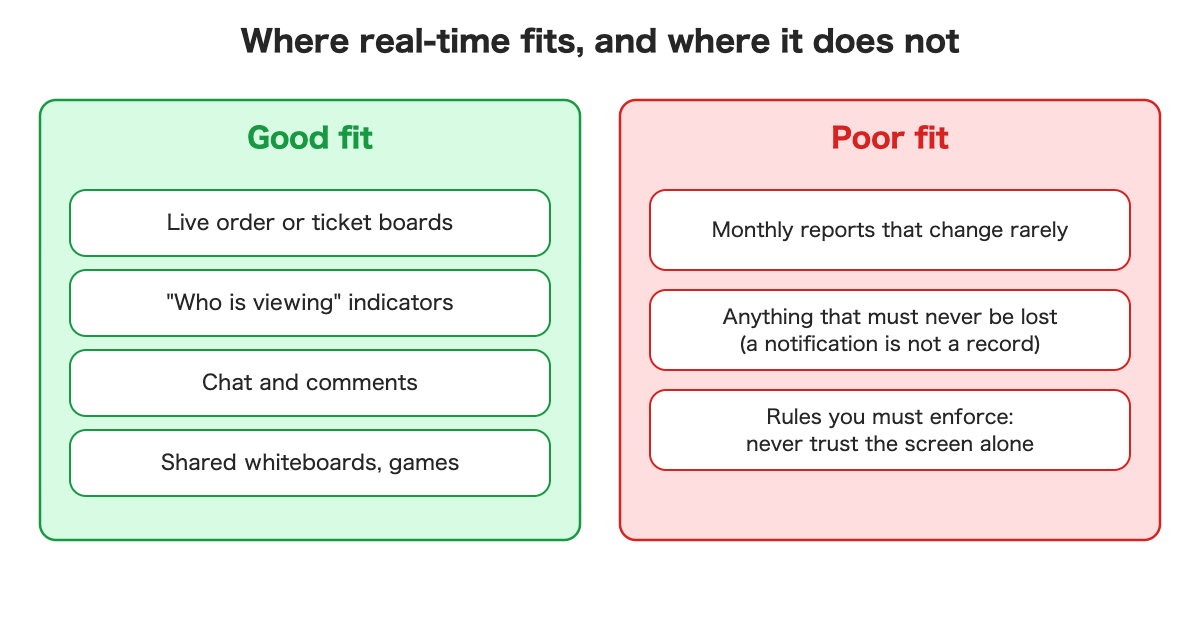
It suits things people watch together: order and ticket boards, “who is viewing” indicators, chat, shared whiteboards and games. It is a poor fit for things that rarely change, and it is not a record: a notification can be missed, so keep the truth in a database.
What to decide before you add it
- Who may join the room? In my demo anyone who knew how could join and send messages. If the room matters, only logged-in people should get in. I did not test that setup.
- Where are the rules decided? My game decided who won in the browser, so a determined player could cheat. If money or points are involved, the rules need to be checked on the server.
- What happens when the connection drops, and what does the screen say? Decide it in advance. My answer: turn grey, say the data may be out of date, reconnect, and reload everything.
What it costs
My tests cost nothing on a free plan. The provider’s documentation lists limits for a free plan, checked on 22 October 2026: 2 million real-time messages a month and 200 simultaneous connections, with usage-based pricing above that on paid plans. I did not check exactly how messages are counted, so I cannot turn “five people using my board” into a message count. Something that streams every mouse movement to everyone would, I think, reach the limit quickly, but I did not try it.
Questions to ask your AI assistant
- “When one person changes this, how will everyone else’s screen update without a refresh?”
- “What does someone who joins late see? Where does the current state live?”
- “How do we know the connection is alive, and what does the screen show when it isn’t?”
- “Who is allowed to join this live room, and where are the rules enforced?”
- “Estimate the monthly message and connection usage for our expected number of users.”
What I did not verify
- A tab that was really in the background for a long time. My test tool keeps all tabs “visible”, so I could not reproduce that case.
- Other devices and networks. I used tabs on one computer.
- Many simultaneous users, private rooms and how messages are counted for billing.
Summary
- Normal screens go and look. Real-time screens get told.
- In my test, a message took about 0.1 s and a database-driven change took about 0.5 to 1.3 s.
- Announcements are not memory. Someone who arrives late sees nothing unless the state lives in a database.
- A “Connected” light can lie. A silent stall left mine green for 46 seconds, or 16 with a faster check.
- Decide who may join, where the rules run, and what the screen says when the connection drops.
If you want the hands-on version, with the code, the measurements and both demos, I wrote it up for developers: Read the developer version on Dev.to (code on GitHub).
Leave a Reply