
I used to think a login screen meant the app was safe. Then I tested one of my own small apps while pretending not to be logged in, and saw every customer’s invoices.
This article is about the difference between proving who you are and being allowed to see something, and why the second one is where business apps quietly leak. The numbers come from a small test I ran, and I’ll tell you where it stops being useful.
In one line each
- Authentication: who are you? (Proving it’s really you.)
- Authorization: what may you do? (Deciding what that person can see or change.)
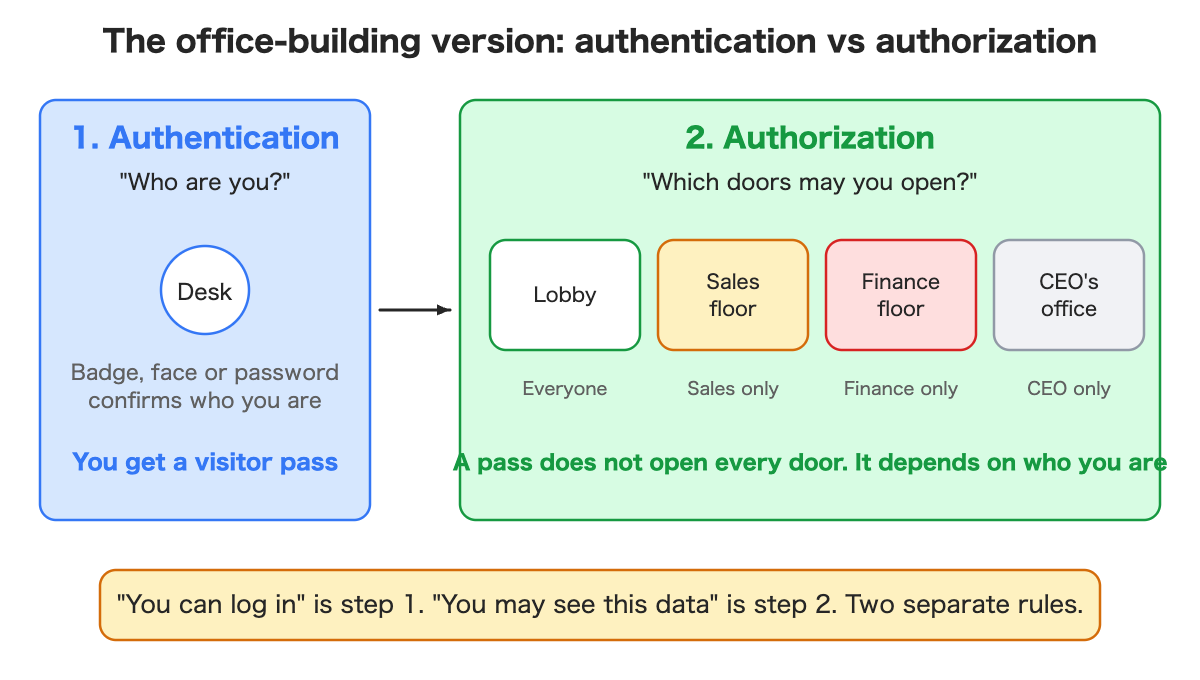
The office building
At the front desk, someone checks your badge or your face and gives you a visitor pass. That is authentication.
The pass does not open every door. The lobby is open to everyone, the sales floor to sales, the finance floor to finance, the CEO’s office to one person. Which doors your pass opens is authorization.
Having a pass (“you are logged in”) and being allowed on the finance floor (“you may see this”) are two separate rules.
The same app, a different view for each person
Picture an app that stores each customer company’s invoices. People from Acme and Globex log in on the same screen.
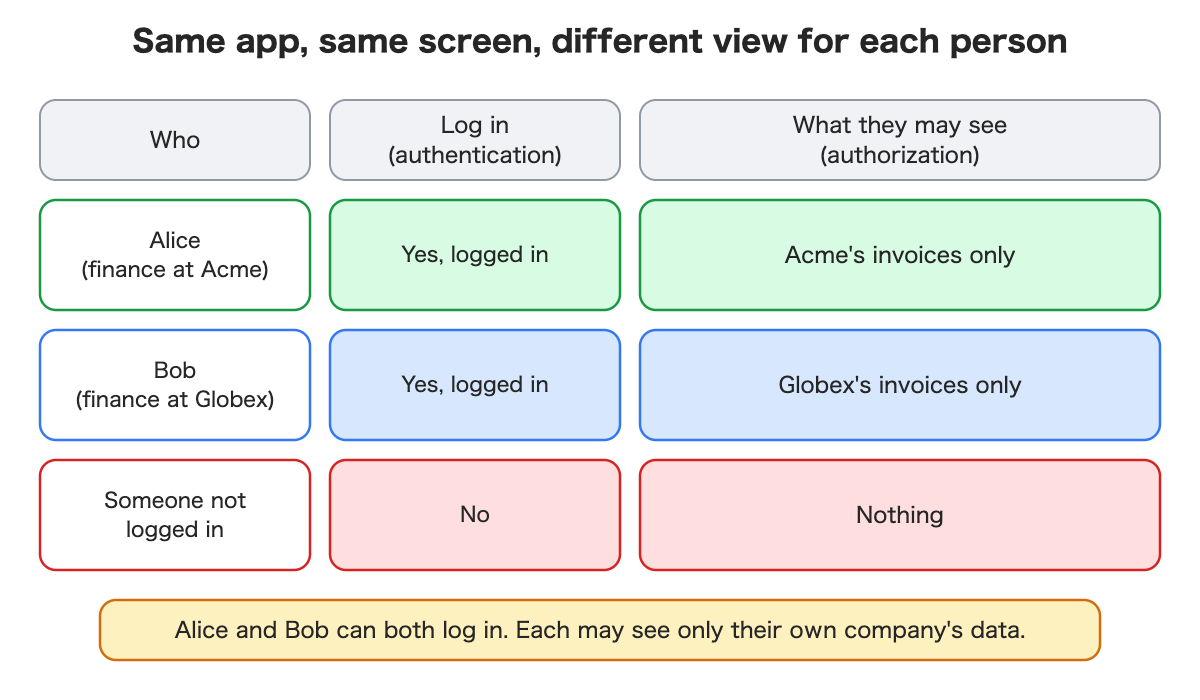
| Who | Can log in? | May see |
|---|---|---|
| Alice, finance at Acme | Yes | Acme’s invoices only |
| Bob, finance at Globex | Yes | Globex’s invoices only |
| Someone not logged in | No | Nothing |
Alice and Bob both log in successfully. Each may see only their own company’s data.
If authorization is missing or wrong, anyone who gets past the login can see everyone’s. Sometimes people who never logged in can see it too.
The test that worried me
I built a demo with 2 companies and 4 invoices, and deliberately left out the “who may see what” rules.
Then I looked at the invoice list as someone not logged in. All 4 invoices came back, from both companies. I also made a plain web request using only the public key that any app ships with, no login at all, and got the same 4.
A login screen is only a door at the front. If the data behind it has no rules, there can be another way to the data.
After I added the rule “you see only the companies you belong to,” I repeated the same checks:
- Not logged in: 0 invoices.
- Alice: 2, all Acme’s.
- Bob: 2, all Globex’s.
Same question, different answer for each person. That is authorization doing its job.
When Alice tried to write an invoice into Globex, the database refused it with a clear error.
“No error” does not mean “safe”
This one caught me out. My first attempt at that write test did not raise an error at all, and for a moment I thought it had worked.
It had not. The way I wrote it, the command first looked up Globex’s company record, and Alice cannot see that record. So it found nothing and added 0 rows, silently. Nothing was broken and nothing was proven.
Things a person cannot see simply do not exist for them, so a forbidden action can fail by doing nothing at all. When you test security, check that the refusal actually happens. Do not accept silence as a pass.
A mistake in my page, not in the rules
Later I let one person belong to two companies. The rules did exactly the right thing: that person could see both companies’ invoices. But my page assumed one company per person. It showed the first company’s name on top of a list that mixed both companies’ invoices, labeled “Invoices of your company: 5, total $7,450.” That was wrong.
The database was correct and my screen was misleading. I fixed it with a company switcher, so each list shows one company at a time. The lesson: authorization lives in the data layer, but the screen can still lie about it. Test your screens with the awkward users, not only the tidy ones.
A smaller surprise: failed attempts still use up invoice numbers. After my failed tests, the next real invoice was number 6, not 5. If invoice numbers must be gapless, do not use the database’s automatic counter as your invoice number.
Where you meet each one in an app
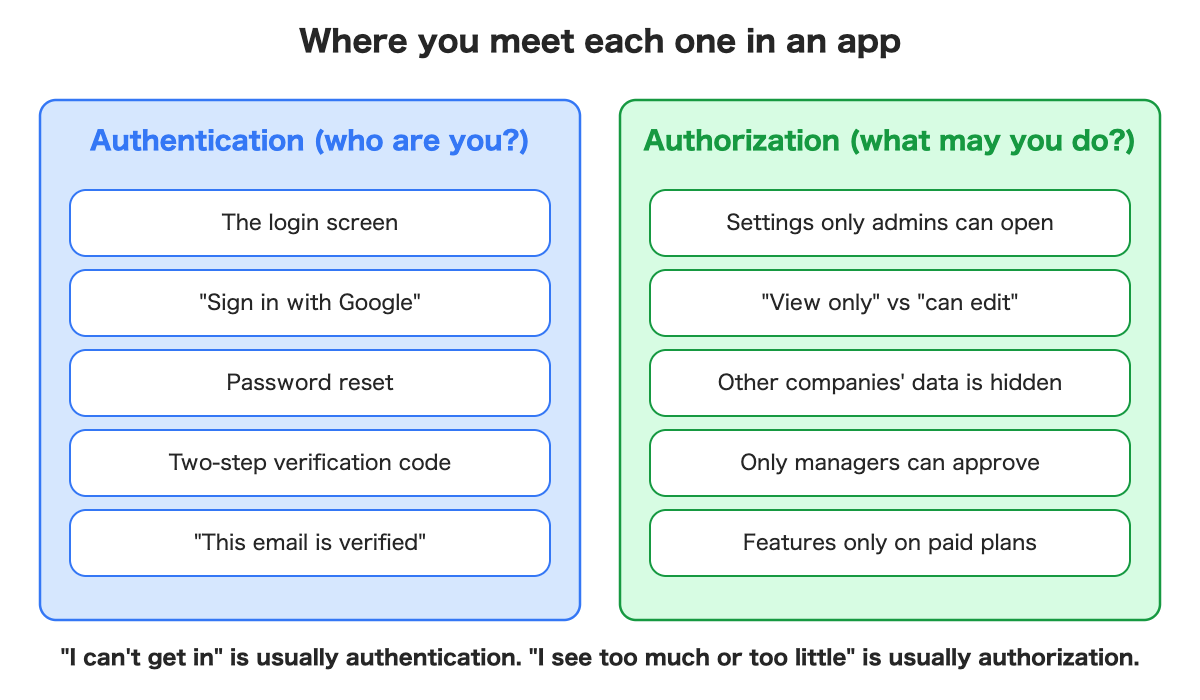
A rough guide when you are describing a problem to an AI assistant or a teammate: “I can’t get in” is usually authentication. “I see too much” or “I see too little” is usually authorization.
Two ways to keep customers apart
When customers multiply, you decide how to separate their data. There are two broad ways.
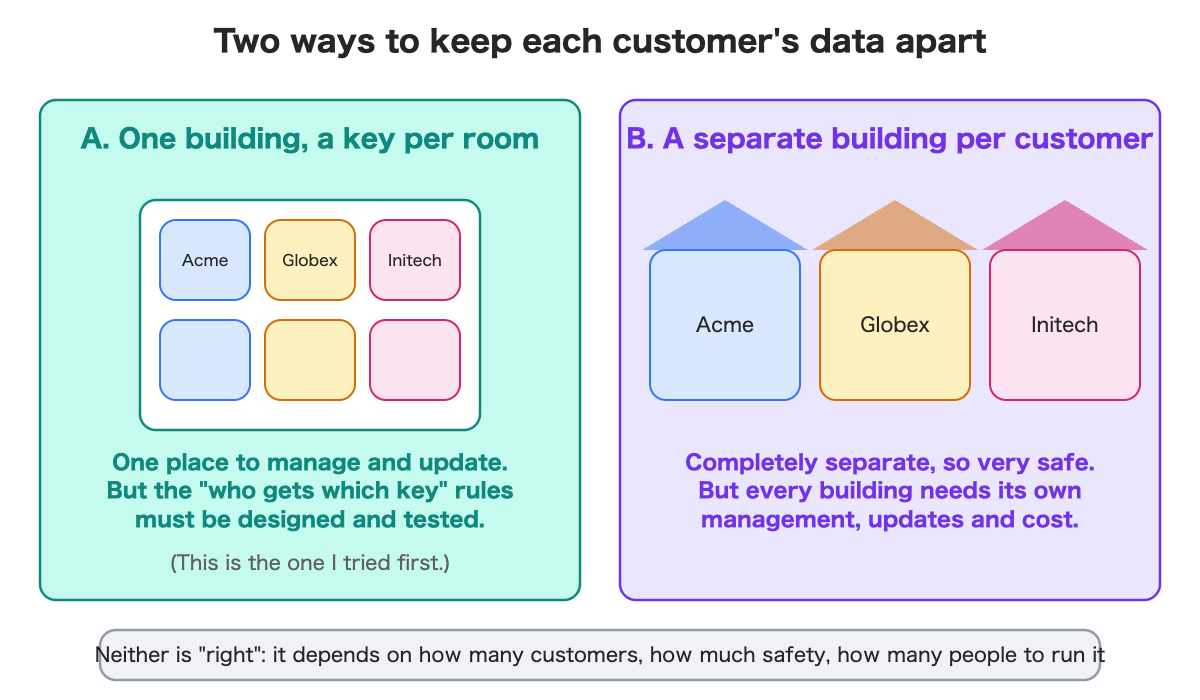
One building, a key per room. One place to manage, one update. But the rules for who gets which key must be designed and tested, and a mistake can expose another room.
A separate building per customer. Completely separate, so very safe. But each building needs its own management, updates and cost. For a hosted service, extra environments are usually billed; I checked the provider’s docs on this but did not build the second kind myself.
I only built the first kind in this test. Neither is automatically right. It depends on how many customers you have, how much isolation contracts demand, and how many people can run it.
What it costs
My test cost nothing on a free plan: logins and reading and writing data. Authorization rules did not add a line item I could see. The separate-environment approach is where cost can multiply. I have not priced it.
Questions to ask your AI assistant
- “Each logged-in user should see only their own company’s data. Can you set up those rules?”
- “Check what someone who is not logged in can see.”
- “If a user from company A tries to write into company B, does it get refused? Show me the refusal, not just a lack of error.”
- “What if one person belongs to two companies? Does the screen still make sense?”
- “How many customers do we expect? Would one shared setup or a separate setup per customer suit us better?”
The point is to check authentication and authorization separately. “I could log in” is not the end of the test. “What can I see once I’m in?” is.
What I have not verified
- Fine-grained roles such as admin, editor and viewer.
- Speed and operating effort with hundreds or thousands of customers.
- The separate-environment approach.
- Behavior with real customer data and real people.
Summary
- Authentication is “who are you.” Authorization is “what may you do.” Being logged in is not being allowed.
- With no rules, I saw all 4 invoices without logging in, including through a plain web request. With rules: 0 for a stranger, 2 for each company’s user.
- “No error” is not “safe”: a forbidden write can fail silently. Test for the refusal.
- Even with correct rules, my page lied about a user with two companies. Test the awkward users.
- Separating customers by room or by building is a trade-off, not a right answer.
If you want the build details, I wrote the hands-on version for developers, with the SQL, the code and a small invoice portal: Multi-Tenant Data Isolation with Supabase RLS, Tested Through Real Logins in a Small Invoice Portal