I built a small notes app with AI help, and the first real test went badly. I searched for “coworker” and got nothing, even though the note I wanted said “new employees”. Any person would call those the same thing. The search did not.
This article is about fixing that with semantic search, written for builders who want the decisions, not the math. I ran a small experiment so the numbers below are real, and I will say where they stop being useful.
How this was made: I used Claude to help draft this article. I ran the experiment, checked every number, and edited the text. The mistakes are mine.
The problem in one sentence
Your search matches letters. Your users think in meanings.
You have probably seen it:
- Someone searches “cost cutting” and the meeting where the team agreed to “reduce spend” never shows up.
- A recruiter looks for “someone who has led a team” and only finds notes that contain the word “led”.
- A manager searches “coworker” and misses the note about onboarding “new employees”.
A human reads all three and says, “that is the same thing.” A basic search says, “no match.”
Why it happens
Most search boxes do keyword matching. They look for the exact characters you typed.
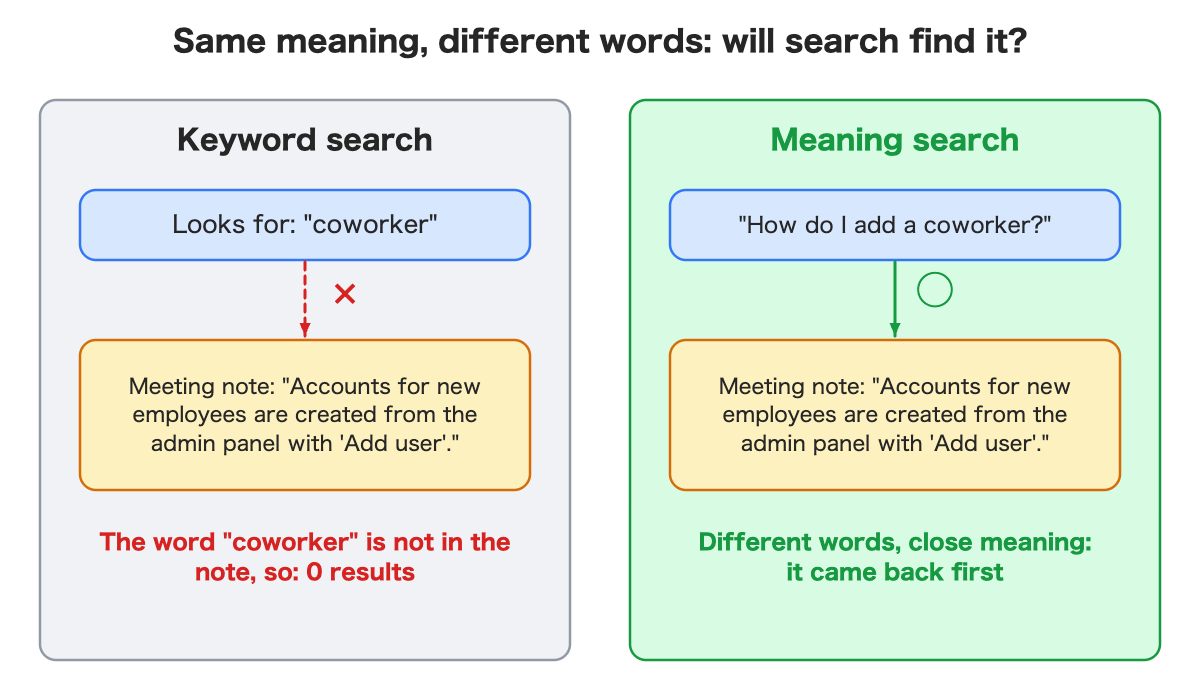
Keyword search is fast, predictable, and excellent when the words match. It is weak when people rephrase, which is most of the time.
The idea: search by meaning
Semantic search puts every piece of text on a kind of map, where texts with similar meaning sit close together. Your question goes on the same map, and the closest notes come back first.
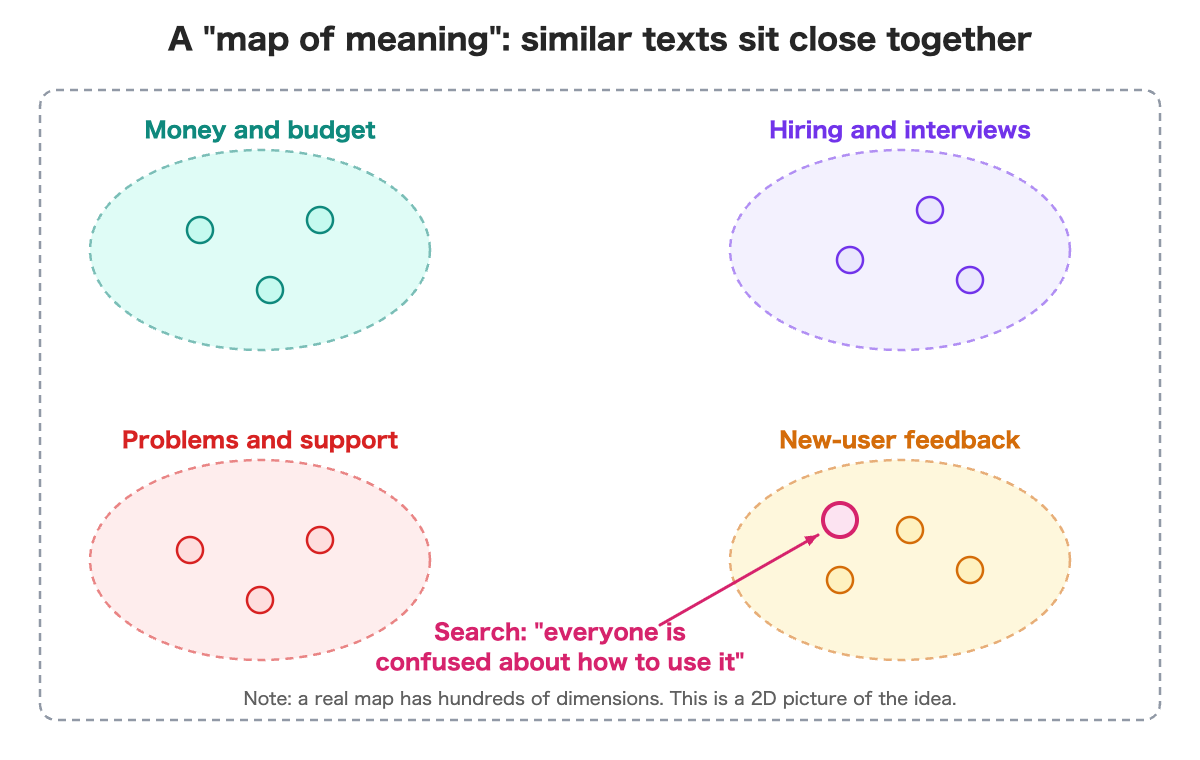
Think of a bookstore. Books sit by topic, not alphabetically. Stand in the cooking aisle wanting pasta, and you will meet books that never use the word “pasta” in the title.
How text gets a place on the map
An AI model turns each text into a list of numbers. Nobody writes the meaning by hand. The model has already learned what tends to mean the same thing.
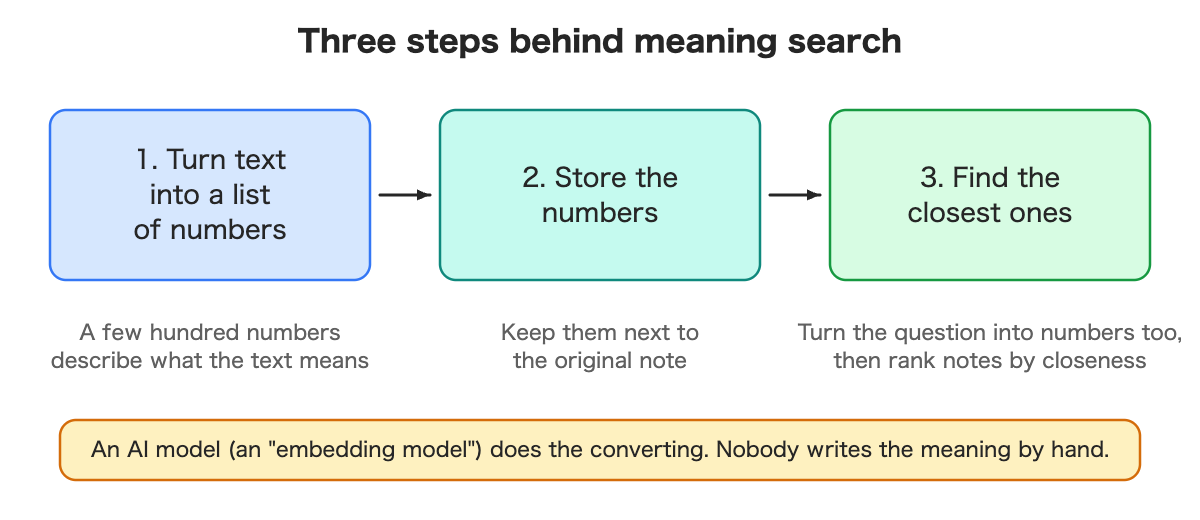
- Convert the text into numbers.
- Store the numbers next to the original note.
- Convert the question the same way, then rank notes by how close the numbers are.
“Close” is a calculation the computer does instantly. To a human the numbers are noise, which is fine, because they are only there for the computer.
In my test, each note became a list of 384 numbers.
A small test
I wrote 8 fake notes: 5 meeting minutes and 3 interview notes. Then I asked 7 questions, phrased on purpose to avoid the wording in the notes.
| My question | What came first | Right note first? |
|---|---|---|
| How do I add a coworker to the app? | Note about creating accounts for new employees | Yes |
| Why are customers leaving? | Note about rising cancellations | Yes |
| Someone who has led a team | Sales interview: managed a team of five | Yes |
| What to spend money on next year | Budget meeting | Yes |
| Candidate who wants to work from home | Engineer interview: asked about remote work | Yes |
| Reason the launch is late | Release review | Yes |
| Root cause of the incident | Support meeting (wrong) | No |
Six of seven came first. For the seventh, the correct note, an outage report, came second, and the scores were almost identical: 0.791 against 0.789.
For comparison, I ran plain keyword search with the words from six of those questions (“coworker”, “customers leaving”, “led a team”, “work from home”, “incident”, “spending plan”). Every one returned zero results.
This is not a benchmark. It is eight notes I wrote myself, and I knew the answers while writing the questions. Treat it as a demonstration, not a measurement.
Where it went wrong
The failures taught me more than the wins.
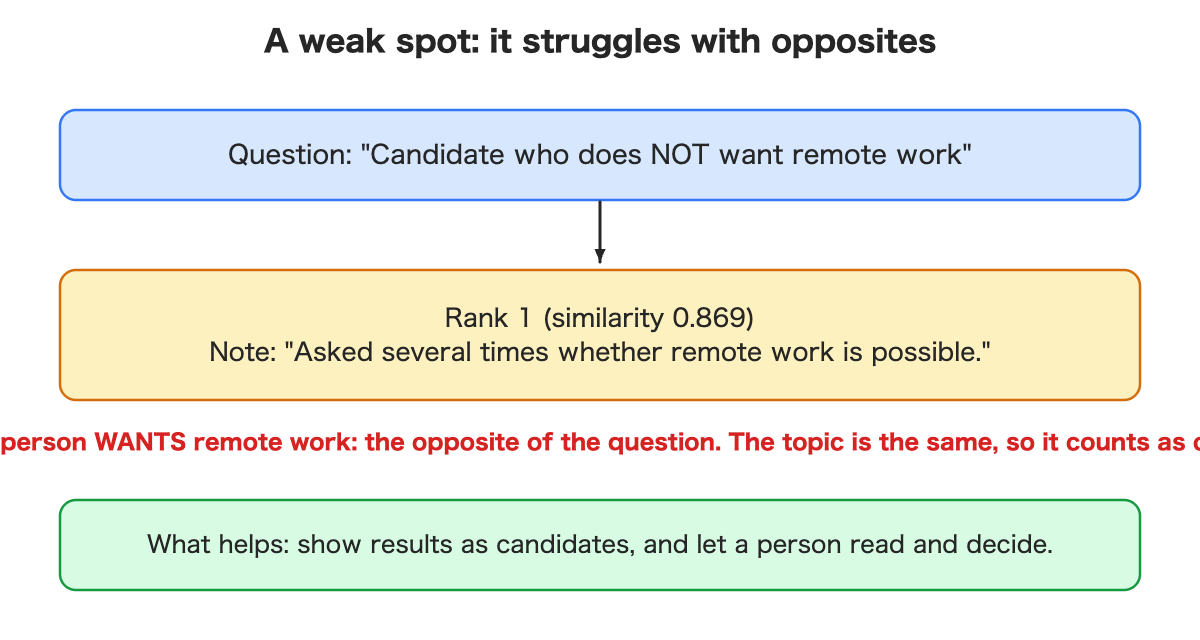
1. Opposites look similar. I asked for a candidate who does not want remote work. First place, at 0.869, was the person who asked several times whether remote work was possible. Same topic, opposite meaning. The search rewards topic, not intent.
2. Near ties can pick the wrong winner. The incident question above. A 0.002 difference decides the order, and nobody should trust a ranking that thin.
3. It always answers. I searched “best pizza in town” and still got three notes back. The top score was 0.703. A semantic search ranks; it does not say “nothing matches.”
4. There is no obvious cutoff. Right answers scored 0.806 to 0.873. The wrong first place scored 0.791 and the nonsense query 0.703. In this tiny set, a line near 0.80 would have separated everything. I do not trust that: eight notes, eight questions, and I would be tuning on my own test.
5. Long notes get cut off. The model I used reads only the first part of a text (about 512 tokens, per its documentation). I tested it with one 4,600-character note and put a distinctive fact only at the very end. A question about that fact did not find the note. A question about the beginning did, at 0.924. Meeting notes are often long, so this one matters.
What I took from this: show results as candidates, and let a person read and decide. In practice, many teams combine both search types: keywords for part numbers and names, meaning for “what was this about?”
When it fits, and when it does not
| Good fit | Poor fit (keyword search is stronger) |
|---|---|
| Finding meeting notes, interviews and customer feedback by content | Part numbers, order IDs, exact names |
| Looking up a how-to by what you want to do | “Show me every document containing this word” |
| Finding similar past support cases | Cases where “increase” and “decrease” must never mix |
What it costs: money and effort
It is not a switch you flip once. Here is what I noticed, and which numbers are measured.
- Converting text into numbers costs something, somewhere. My model ran inside the platform I was already using, with no extra charge on a free plan. An outside AI service is usually billed by how much text you send; I did not test that.
- Storage. In my test, one note’s numbers took 1,544 bytes. At 100,000 notes that is roughly 150 MB for the numbers alone (my arithmetic, not a measurement at that size).
- Speed. A search took about 2 seconds end to end in my setup; I did not dig into where the time goes. A new note became searchable in about 8 seconds. Both are measured on tiny data.
- Changing models later means redoing everything. Numbers from different models cannot be compared, so you would convert every note again.
- Stuck jobs. If conversion runs in the background and one note keeps failing, it keeps retrying. Plan to monitor the queue.
I did not test any of this at work-sized data, so I cannot tell you where the costs bend.
Three decisions before you add it
- What are you searching? Meeting notes, interviews and support cases behave differently from part numbers.
- Who may see what? Semantic search makes things easier to find. It does not decide who is allowed to see them. Interview notes are personal data. If you send text to an outside service, decide whether you may.
- What happens when nothing matches? The search will always return something. Decide how the app says “probably not here,” and who checks.
How to ask your AI assistant for it
If you build with an AI assistant, plain requests work well:
- “I want to find meeting notes even when the wording differs.”
- “When I add a note, it should become searchable automatically.”
- “Show a closeness score with each result, and design what we show when nothing really matches.”
- “Test with realistic sample data in our language, and show me the failures too.”
- “This includes personal data. Limit who can see it, and tell me if text leaves our systems.”
- “Estimate what this costs per month if we keep it running.”
You do not need the technical vocabulary. You need to know what you want.
What I have not verified
- Accuracy on real meeting notes and real interviews (mine are fake).
- Behavior with thousands of notes: speed and cost.
- Comparisons with other models.
- Languages other than English in this run.
Summary
- Keyword search matches letters. Semantic search matches meaning.
- In my small test, 6 of 7 rephrased questions found the right note first. Keyword search found none.
- It struggles with opposites, near ties, “no match”, and long notes. Show candidates, not answers.
- The costs are conversion, storage and retries. I measured them only on tiny data.
- Start small, with your own data, and read the failures.
If you want the build details, I wrote the hands-on version for developers: the full walkthrough, the code and a small search app. Read the developer version on Dev.to (code on GitHub).
Leave a Reply